A common complaint about Power Pivot KPI icons is that it seems no matter which set of icons you select, it only shows the standard Red-Yellow-Green circle icons.

A common complaint about Power Pivot KPI icons is that it seems no matter which set of icons you select, it only shows the standard Red-Yellow-Green circle icons.
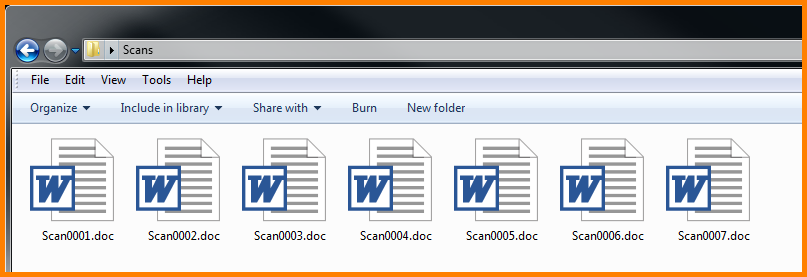
If you scan documents from a network scanner (like the giant printer down the hall) and have the scan sent to your email, you are probably less than thrilled with the name that the scanner gives the file. The name is usually something generic and uninformative like “Scan0001.pdf” or a combination of the date and the time like “07182015-100855.pdf”.
This tutorial applies to PowerPoint 2013, but several earlier versions of PowerPoint possess the same abilities. The exact steps and options will vary slightly from version to version.
Showing your PowerPoint masterpiece can be thrilling, but what if you want to reach a wider audience? How can we take our presentation from the confines of the boardroom (or is that bored room?) and set it free so the world can bask in its glory?
Very easily; we convert it into a video.
In this tutorial, we discover a feature introduced in PowerPoint 2010 which allows you to take your slides and encode them to a video that can be loaded to your corporate network for on-demand viewing through an intranet portal, or posted to a more globally accessible site such as YouTube.
Admit it, you’ve used Excel functions without any idea how they work. Someone said, “Click here for this. Click here for that.” You’ve dutifully followed orders, blindly clicking on cells with no real clue as to why.
It’s time to lift the veil of mystery and understand why these functions are so demanding of such data.
Here is just one of many options for understanding function logic:
This first part has nothing to do with obtaining function information, but it’s a great time saving trick. If you like to type your functions directly in the cell; press your EQUAL button [=] and start typing the first few letters of the function name. As you type, Excel will begin to AutoComplete the function’s name.
Let’s set the stage:
You receive a file from your co-worker where data has been arranged into multiple columns to create a table-like format.
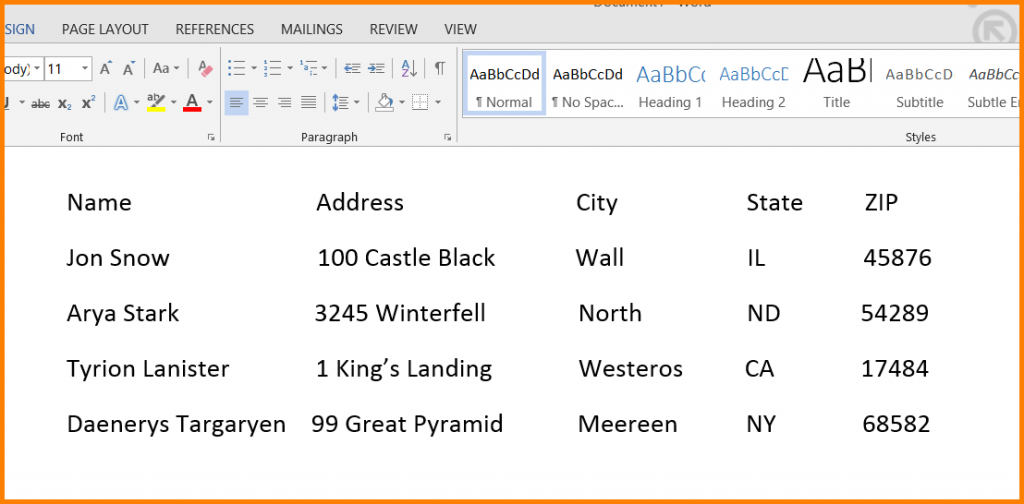
Upon careful examination, you notice that the column alignment is just a little bit off. To discover the cause you press your Show /Hide button in Word to reveal the formatting codes.
If you are new to Excel, you no doubt have already discovered the need to take a series of numbers created by formulas and convert them to fixed values. In other words, replace the questions with the answers. With no idea how to accomplish this, beginners usually spend great stretches of time retyping the numbers into the answer cells to make them “permanent”.
Eventually, someone who feels your pain turns you on to the technique of highlighting all of your formula cells, clicking Copy, then in the same cells clicking Paste Special…, Paste Link.
You could now not be more ecstatic. “This is going to save me sooooo much time”, you say to yourself.
Well, guess what. There’s an even FASTER way to accomplish this task. Try this out:
If you have ever inserted an object (like a picture, shape, or clipart) into a Word document and then made the unfortunate move where you pushed it behind your text… …and now it seems forever trapped behind a sea of impenetrable words. No matter how …
If you are an Excel user who LOVES working from the keyboard as much as possible (i.e. data entry, navigation, feature activation, etc…) then you simply MUST know of this little gem of a keyboard shortcut. Although we have no scientific data to back up …
If you work with Microsoft Project and have ever leveraged the power of Resource Pools across multiple projects, you may have encountered a strange behavior when assigning those resources.
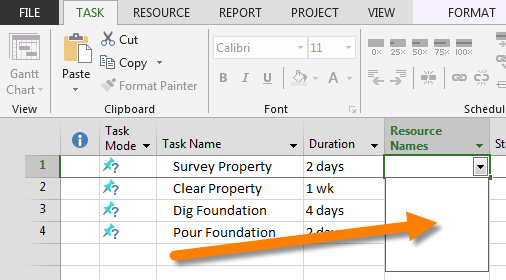
When you share resources between a Resource Pool file (a dummy project file that typically has no tasks but is merely a container for holding resources) and another project file, sometimes the resources don’t show up when it comes time to make the resource assignments.
Keyboard shortcuts may seem like a throwback to the olden days, but they can seriously ramp up your productivity once you start using them. Especially for tasks you do on a repeated basis. Here are some of the most common Microsoft Excel keyboard shortcuts. F7 …